

Overview
Malware enters an organization when attackers find a weak path into people, systems, applications, vendors, or business processes. These entry points often include phishing emails, weak credentials, unpatched software, unsafe downloads, vendor access, removable devices, and misconfigured systems.
For risk, compliance, IT, audit, and security teams, malware entry points should be treated as business risks. A single weak entry path can lead to ransomware, data exposure, downtime, regulatory review, audit findings, or loss of customer trust.
Malware entry risks are easier to understand when teams first know what malware is and how it can affect systems, data, and business operations.
This article explains the most common malware entry points, why they matter, and what prevention controls organizations should monitor.
Read also, What is GRC Platform
Key Findings
- Malware commonly enters through phishing, weak access, unpatched systems, unsafe downloads, vendor tools, and misconfigured environments.
- Malware entry points can create operational, compliance, privacy, and business continuity risks.
- Vendors and third-party tools can increase exposure when access and security controls are not reviewed.
- Prevention controls must be owned, tested, documented, and monitored regularly.
- GRC workflows help connect malware risks with controls, incidents, vendors, evidence, and remediation actions.
Recommendations
Organizations should:
- Identify the most likely malware entry points across users, systems, vendors, and applications.
- Strengthen phishing, password, patching, endpoint, access, and vendor controls.
- Track malware entry risks in a risk register with clear owners.
- Test prevention controls and maintain evidence for audit readiness.
- Connect malware prevention with incident response, privacy risk, and compliance workflows.
Which Malware Entry Points Create the Most Exposure?
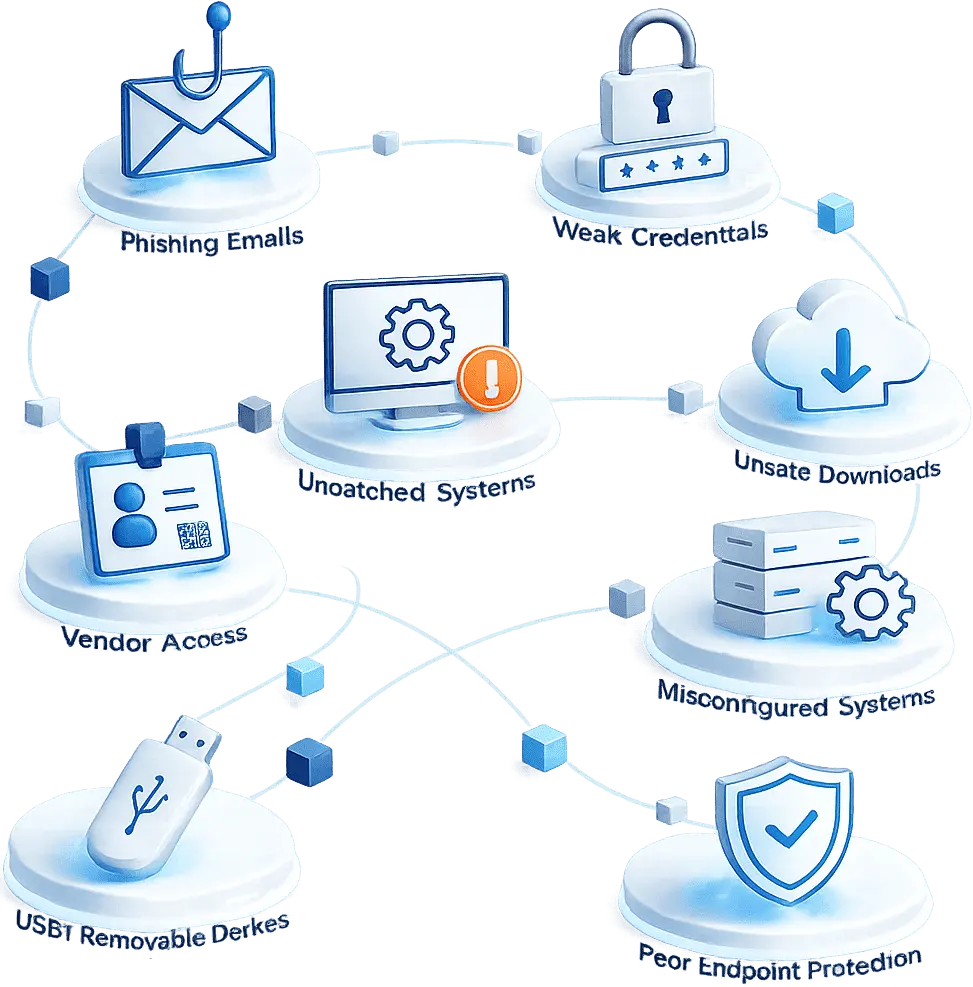
Malware entry points are the routes attackers use to reach business systems or data. These routes may be human, technical, or third-party related. The highest-risk entry points are usually those that combine weak controls with high business impact.
Common malware entry points include:
- Phishing emails and malicious links
- Fake login pages or infected attachments
- Weak, reused, or stolen passwords
- Unpatched systems and applications
- Unsafe software downloads
- Compromised vendor tools or support access
- Misconfigured cloud or network systems
- Infected USB drives or removable devices
- Poor endpoint protection
- Lack of employee awareness
Different entry points may lead to different threats, so organizations should also understand the common types of malware that can affect business systems.
Why Do Phishing and Weak Credentials Allow Malware to Spread?
Phishing and weak credentials are major malware attack paths because they target normal user behavior. An attacker may send a fake invoice, HR document, delivery update, vendor message, password reset link, or executive request that looks legitimate.
A phishing email may lead users to:
- Download an infected attachment
- Click a malicious website link
- Enter credentials on a fake login page
- Approve an unsafe payment request
- Open a document containing harmful code
Weak credentials increase the risk further. If attackers steal or guess login details, they can enter systems using valid accounts. From there, they may install malware, access files, move across systems, or misuse privileged accounts.
Organizations should reduce this risk through email filtering, attachment scanning, multi-factor authentication, strong password policies, access reviews, user reporting workflows, and employee awareness. This is why password security and phishing risks should be reviewed as part of cybersecurity and compliance monitoring.
Read also, DPDP Compliance security measures explained
How Do System Weaknesses Open the Door to Malware?
System weaknesses create technical entry points for malware. These weaknesses often come from unpatched software, unsupported systems, insecure configurations, or exposed services.
Examples include:
- Delayed security updates
- Outdated operating systems
- Unsupported applications
- Weak firewall rules
- Open remote access services
- Default administrator accounts
- Over-permissioned users
- Insecure cloud settings
- Disabled security tools
- Poor vulnerability tracking
Attackers often exploit known vulnerabilities because they are easier to target. If a vulnerability is known but not fixed, the organization remains exposed. Teams should connect CVE and vulnerability management with asset inventory, patch timelines, risk ownership, exception approvals, and remediation tracking.
Misconfiguration is also a serious issue. Even strong security tools may fail if access rules, cloud permissions, or system settings are poorly configured. Regular configuration reviews and secure baseline checks help reduce this risk.
Read also, ISO 27001 Compliance Guide: Requirements, Controls, and Benefits
Can Vendors and Third Parties Become Malware Entry Points?
Yes. Vendors and third-party tools can become malware entry points when external access, software integrations, support tools, or shared services are not controlled properly.
Vendor-related malware exposure may come from:
- Compromised third-party software
- Weak vendor access controls
- Shared or reused credentials
- Insecure file transfers
- Unmonitored remote support tools
- Poor vendor patch management
- Lack of incident notification clauses
- Over-permissioned vendor accounts
Organizations often trust vendors because they support important operations. However, trusted access can still become risky if the vendor is compromised or if permissions are too broad.
To reduce exposure, teams should perform vendor risk assessments, apply least privilege access, review third-party permissions, define breach notification expectations, and monitor remediation commitments. Vendor risk management under DPDP is especially important when vendors access or process personal data.
Read also, What Is Third-Party Risk Management? A Complete Guide
What Business Risks Come From Malware Entry Points?
Malware entry points can create business risks beyond system infection. A phishing email may lead to stolen credentials. Stolen credentials may lead to unauthorized access. Unauthorized access may lead to malware installation, ransomware, or data exposure.
Key business risks include:
- System downtime
- Ransomware disruption
- Data loss or data exposure
- Credential theft
- Unauthorized access
- Financial loss
- Vendor risk escalation
- Regulatory review
- Audit findings
- Reputation damage
- Incident response cost
- Business continuity failure
If malware affects personal data, teams may need to review DPDP data breach notification obligations and maintain clear evidence. Organizations should ask which system was affected, what data was at risk, which control failed, whether a vendor was involved, and who owns remediation.
Read also, What Is Security Compliance? Meaning, Importance, and Best Practices
What Controls Help Reduce Malware Entry Risk?
Organizations can reduce malware entry risk by using layered controls across users, endpoints, systems, vendors, and processes. These controls should not exist only as policy statements. They should be owned, tested, monitored, and supported with evidence.
Important controls include:
- Email filtering and attachment scanning
- Endpoint detection and response
- Patch and vulnerability management
- Multi-factor authentication
- Least privilege access
- Web filtering
- Secure configuration reviews
- Application allowlisting
- USB and removable media controls
- Backup and recovery testing
- Vendor risk assessments
- Employee awareness training
- Incident response planning
- Log monitoring and alert review
Strong prevention controls also support DPDP data security controls because malware can increase the risk of personal data exposure. Control owners should regularly check whether tools are active, patches are current, access is appropriate, and evidence is available.
How Can GRC Help Track Malware Entry Risks?
GRC helps organizations connect malware entry risks with controls, owners, vendors, incidents, evidence, and remediation actions in one structured workflow.
A GRC approach helps teams:
- Record malware entry risks in a risk register
- Assign risk and control owners
- Map controls to policies and frameworks
- Track phishing, patching, access, endpoint, and vendor controls
- Document incidents and root cause
- Maintain audit evidence
- Review third-party exposure
- Monitor corrective actions
- Report risk status to leadership
This gives risk, compliance, IT, security, and audit teams a shared view of malware exposure. A DPDP privacy risk framework can also help teams connect malware risks with privacy impact, control ownership, and compliance evidence.
Conclusion
Malware can enter organizations through phishing, weak credentials, unpatched systems, unsafe downloads, vendor access, removable devices, and misconfigured environments. Each entry point can create operational, compliance, privacy, and business continuity risk.
Organizations need more than security tools. They need clear ownership, tested controls, vendor reviews, incident workflows, and evidence tracking. A GRC-driven approach helps teams monitor malware entry risks, reduce exposure, and respond with stronger accountability.
Visit GRC³ to explore how our platform helps organizations manage cyber risks, compliance workflows, vendor exposure, incidents, and audit evidence from one connected system.
Contact us today to learn how GRC³ can support your risk and compliance journey.
FAQs
Malware commonly enters through phishing emails, infected attachments, malicious links, weak credentials, unpatched software, unsafe downloads, and compromised vendor access.