
Malware and ransomware attacks continue to increase in 2026, affecting individuals, small businesses, and large organizations. Many cyber incidents happen because basic protection steps are ignored or security tools are not properly configured. Learning how to protect against malware is one of the most important cybersecurity practices today. This guide explains simple and practical ways to prevent malware infections and reduce ransomware risk.
The e-InnoSec team recently completed a 6-part series as a guide for organizations to leverage GDPR preparation for CCPA. The Malware/Ransomware 4-part series is focused on helping organizations protect themselves from Malware/Ransomware.
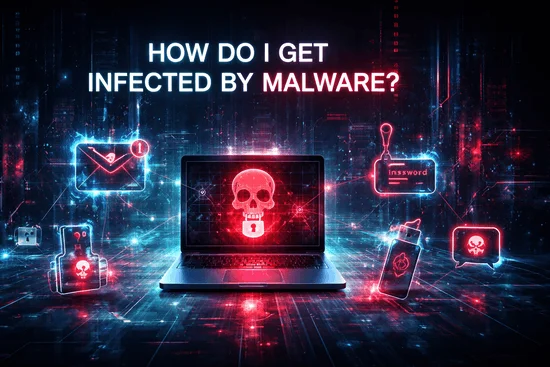
- Part I - How do I get malware?
- Part II - Different types of malware
- Part III - How can I tell if I have a malware infection?
- Part IV - How to protect against malware?
What is malware?
Malware, or malicious software, is any program designed to damage systems, steal information, or gain unauthorized access. In 2026, malware attacks often include ransomware, spyware, trojans, and phishing-based infections that target both individuals and businesses.
What was covered in Parts I, II, and III?
In Part I we explained how malware infections happen.
In Part II we discussed different types of malware.
In Part III we explained how to detect malware infection.
Part IV explains practical ways to protect against malware and ransomware attacks.
Read also :- Malware/Ransomware - Different Types of Malware
How can I start protecting against malware?
Here are some basic steps everyone should follow:
- Use a trusted anti-malware program with real-time protection
- Keep antivirus and operating system updated
- Use security software on PC, mobile, and servers
- Enable automatic updates
- Avoid installing unknown apps
- Use strong passwords and multi-factor authentication
- Monitor system activity regularly
Security software should include:
- Malware detection
- Ransomware protection
- Real-time monitoring
- Automatic threat blocking
- System repair after infection
Read also:- how can-i tell if i have malware infection Part III
How can businesses protect against malware?
Businesses should take stronger security measures because attacks can cause data loss, downtime, and financial damage.
- Use network segmentation
- Limit user permissions (Principle of Least Privilege)
- Backup all important data
- Test backup restore regularly
- Use endpoint protection tools
- Monitor network activity
- Train employees to detect phishing
- Use email filtering
- Avoid unsafe browsing
- Block unknown downloads
- Disable macros unless required
Segmentation and backups are critical in 2026 because ransomware attacks often target entire networks.
What should users do when in doubt?
When something looks suspicious, do not click immediately.
- Verify sender email
- Do not open unknown attachments
- Contact IT team if unsure
- Do not install unknown software
- Do not enter passwords on unknown sites
One small mistake can lead to a malware infection.
User awareness is still the strongest defense against ransomware in 2026.
Conclusion
Protecting against malware requires a combination of user awareness, security tools, system updates, and strong access controls. In 2026, cyber threats are more automated and targeted, which makes prevention more important than recovery. Organizations that use layered security, backups, monitoring, and employee training can significantly reduce the risk of malware and ransomware attacks.
FAQs
Use antivirus, keep systems updated, enable MFA, avoid unknown downloads, and train users.
GRC Insights That Matter
Exclusive updates on governance, risk, compliance, privacy, and audits — straight from industry experts.
Related Posts